Keeping your account secure is essential, and regularly updating your password is one of the simplest ways to protect your information. The TAAX Pro platform allows you to easily update your password from your profile settings.
Follow the step-by-step guide below to update the Account Password on the TAAX Pro platform.
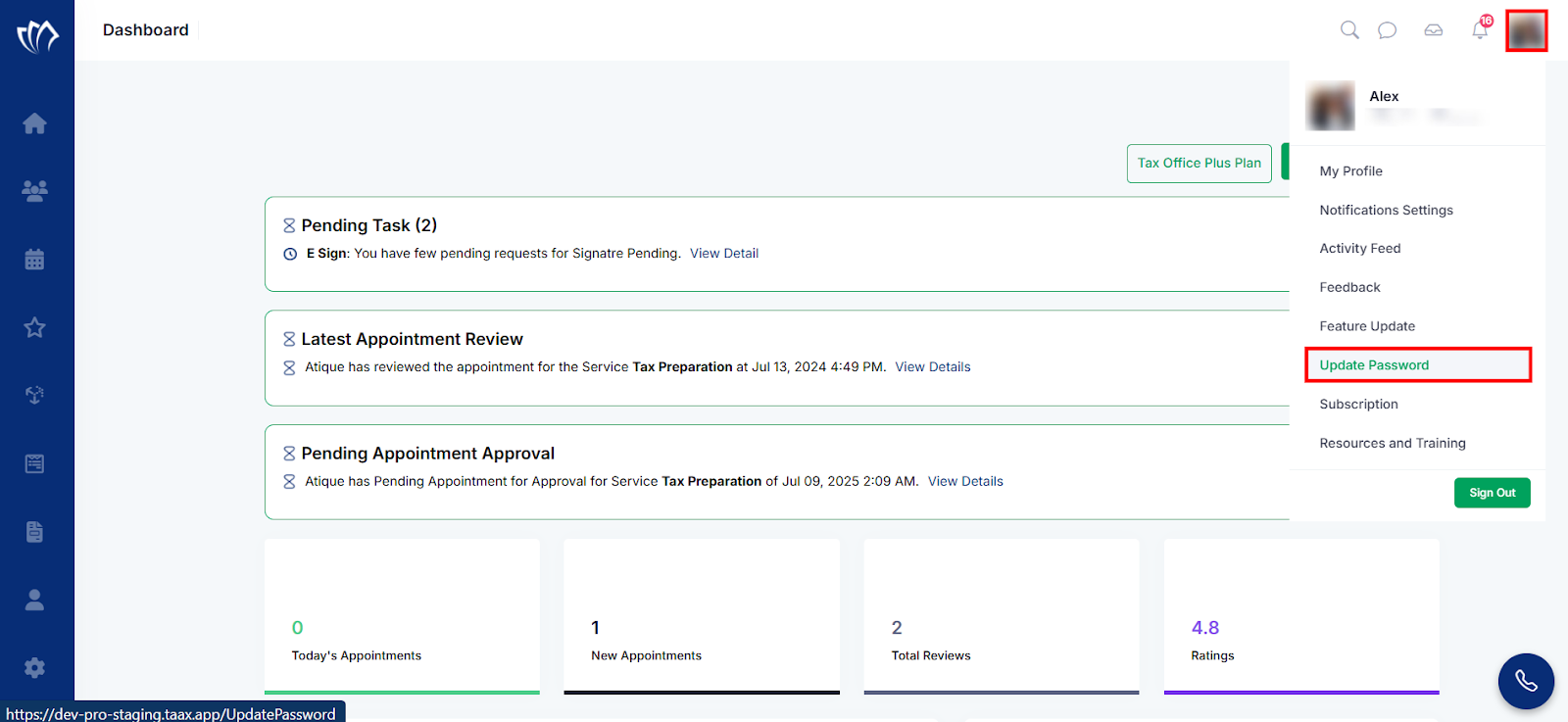
Step 1: Navigate and click on your profile from the top-right corner of the interface, and select the “Update Password” option from the drop-down list.
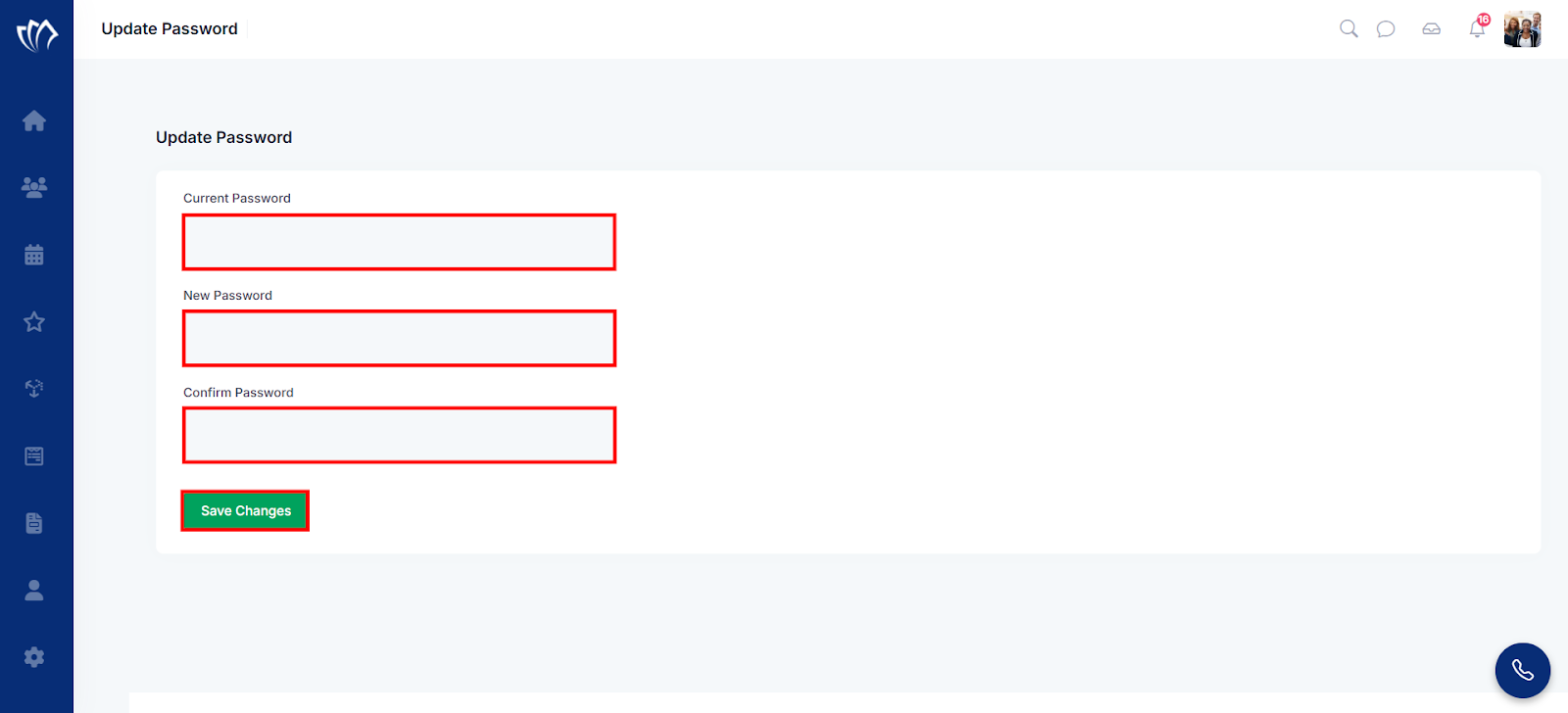
Step 2: The Update Password page will appear. Enter your current password, followed by your new password and confirmation. Once all fields are completed, click the “Save Changes” button to apply the update.
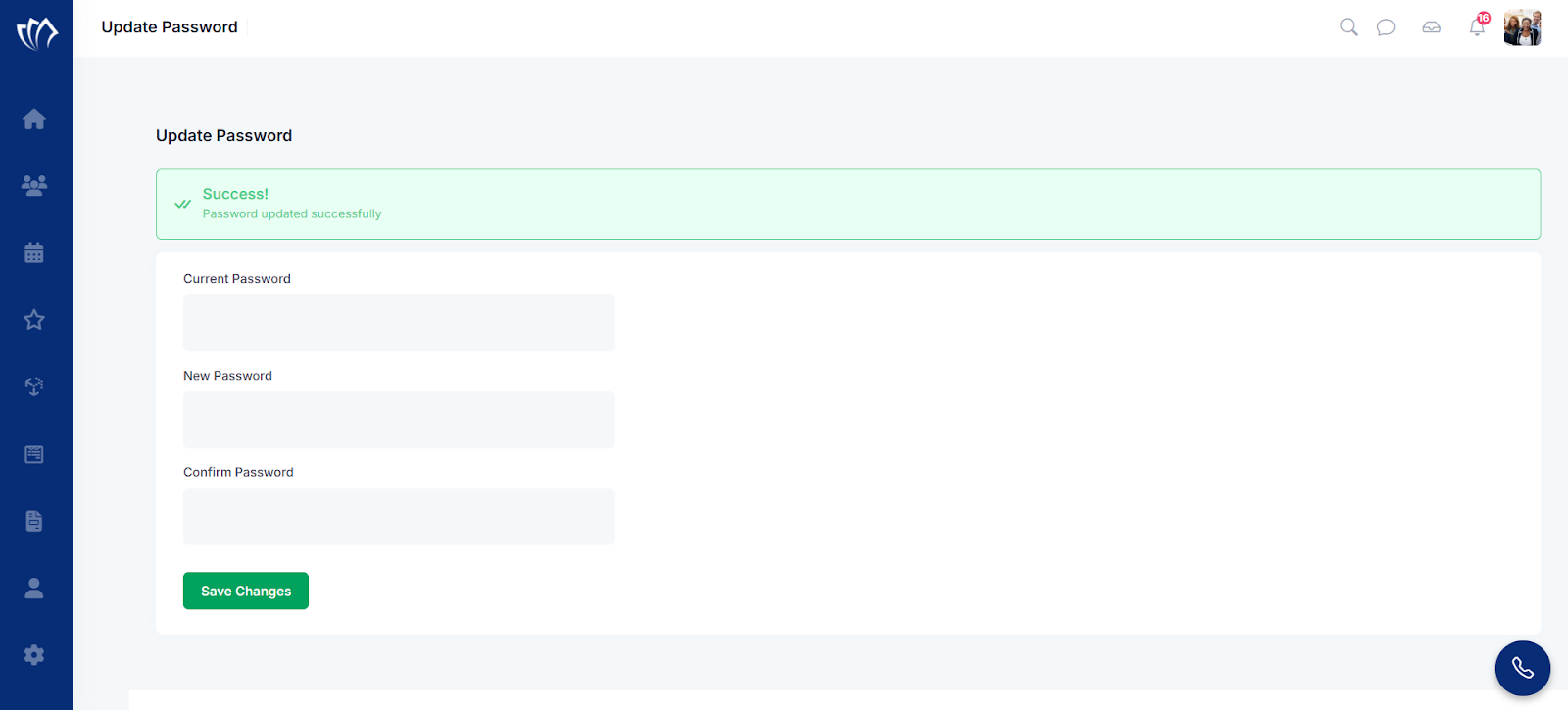
Step 3: After clicking on the “Save Changes” button, a success flash message will appear at the top of the screen. Now you can log in to the platform with your new password.