
Managing the products in TAAX Pro helps you keep your products updated and organized. You can edit the details of the product or delete them if they’re no longer needed.
Follow the step-by-step guide below to manage the products on the TAAX Pro platform.
Editing a Product
You can edit a product to update its details like name, unit price, tax rate, and status. It keeps the product information up-to-date so that your customers and internal users always see the correct data.
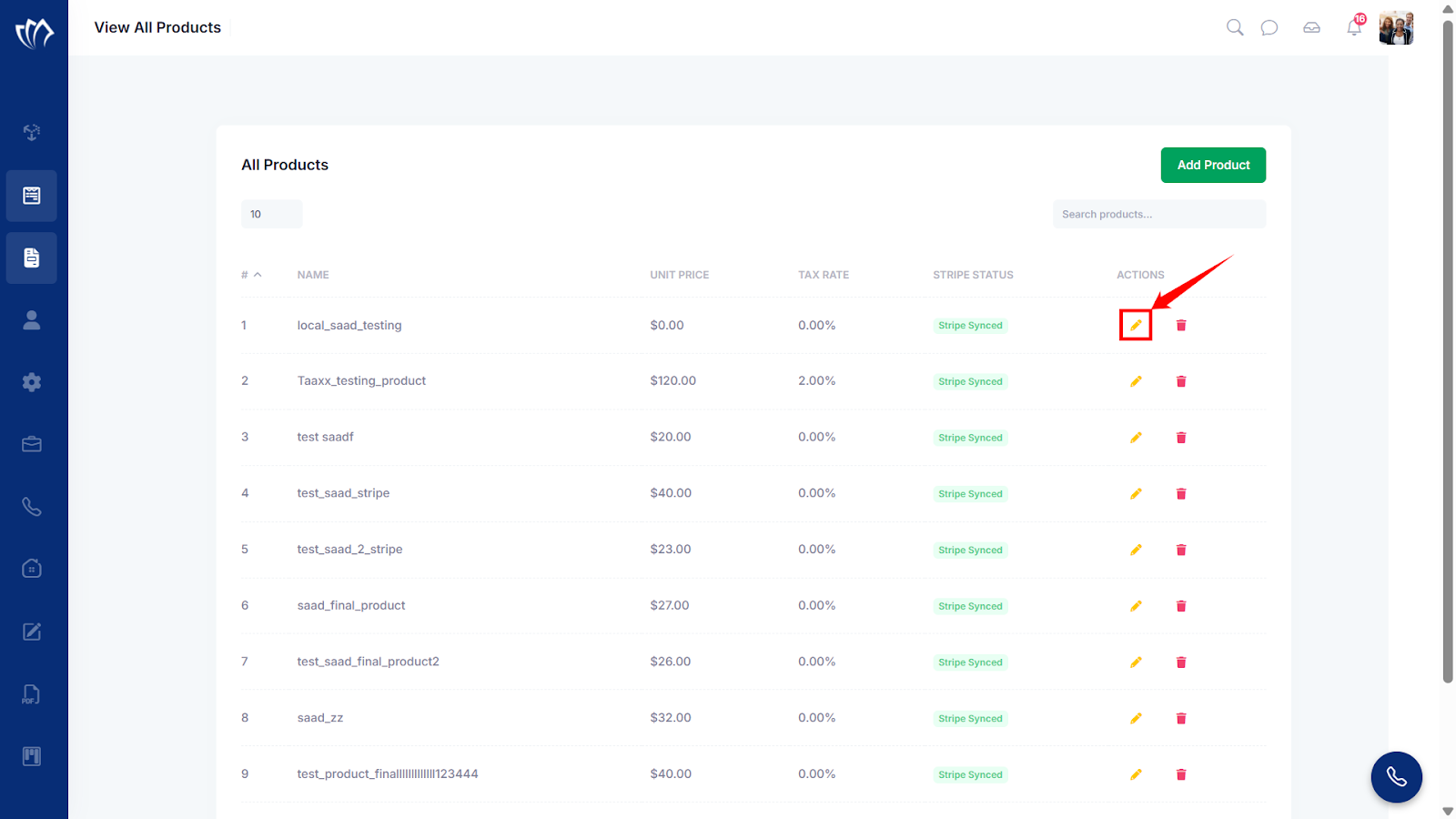
Step 1: Click the pencil icon (✏️) next to the product you want to edit.
Step 2: The Edit Product screen will appear, prompting you to update the product details. Provide the following information based on your new product requirements.
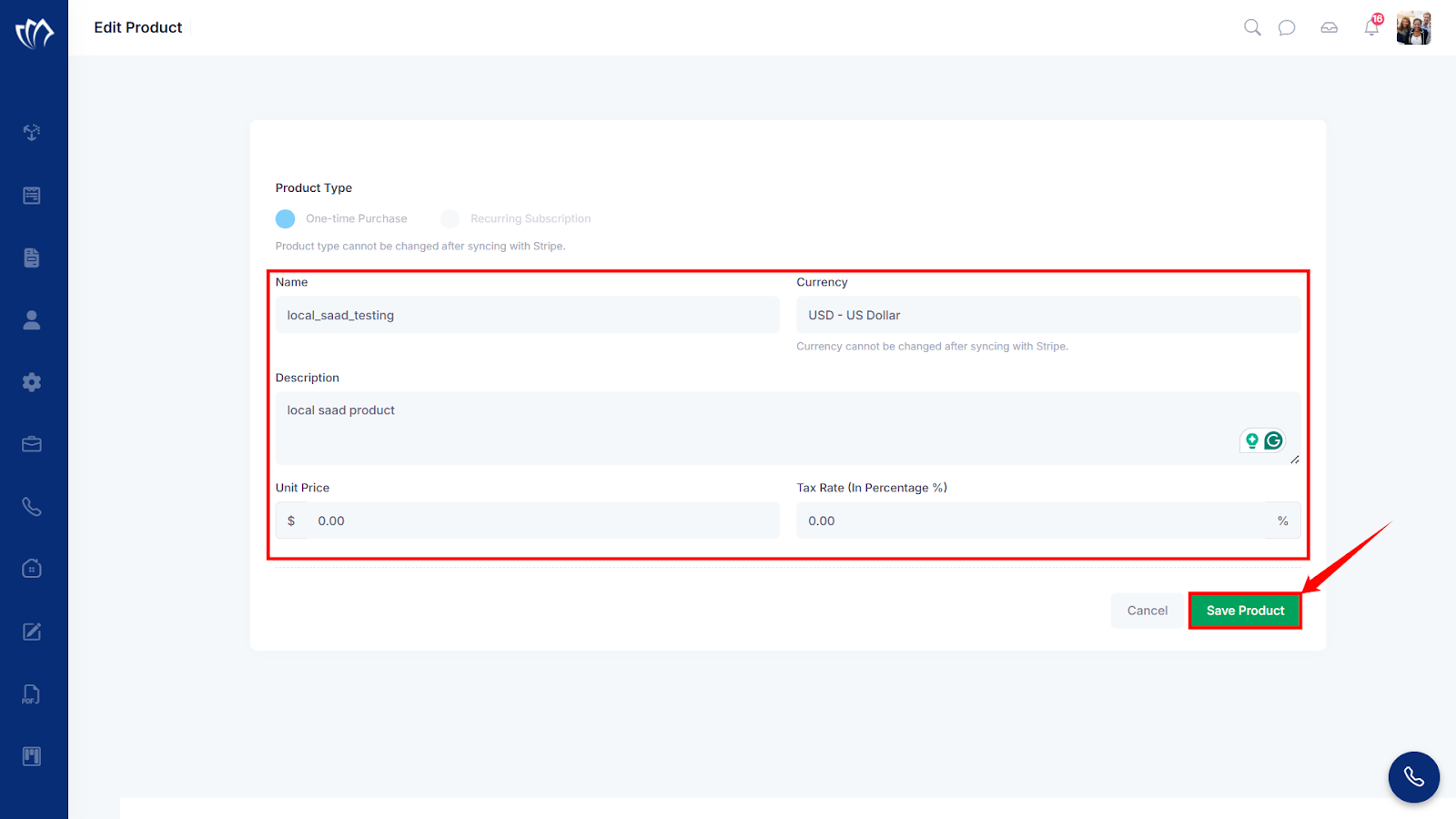
You have successfully edited the product details. If you wish to delete the product, follow the instructions in the section below.
Deleting the Product
When a product is no longer available or was added by mistake, you can delete it to keep your database accurate and up to date. Deletion is permanent, so it should only be done when the product is no longer needed in the system.
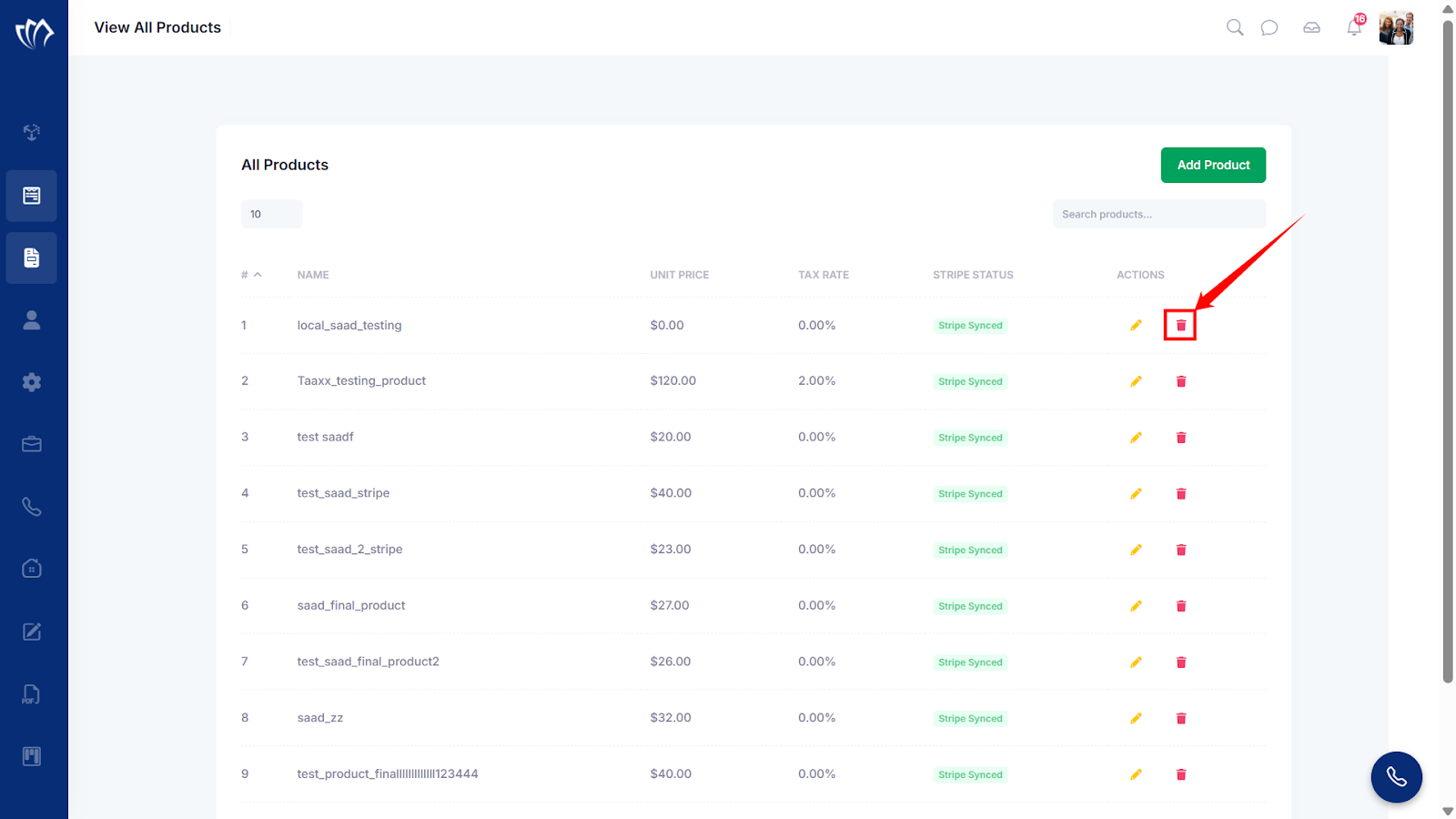
Step 1: Click on the trash icon next to the product you want to delete.
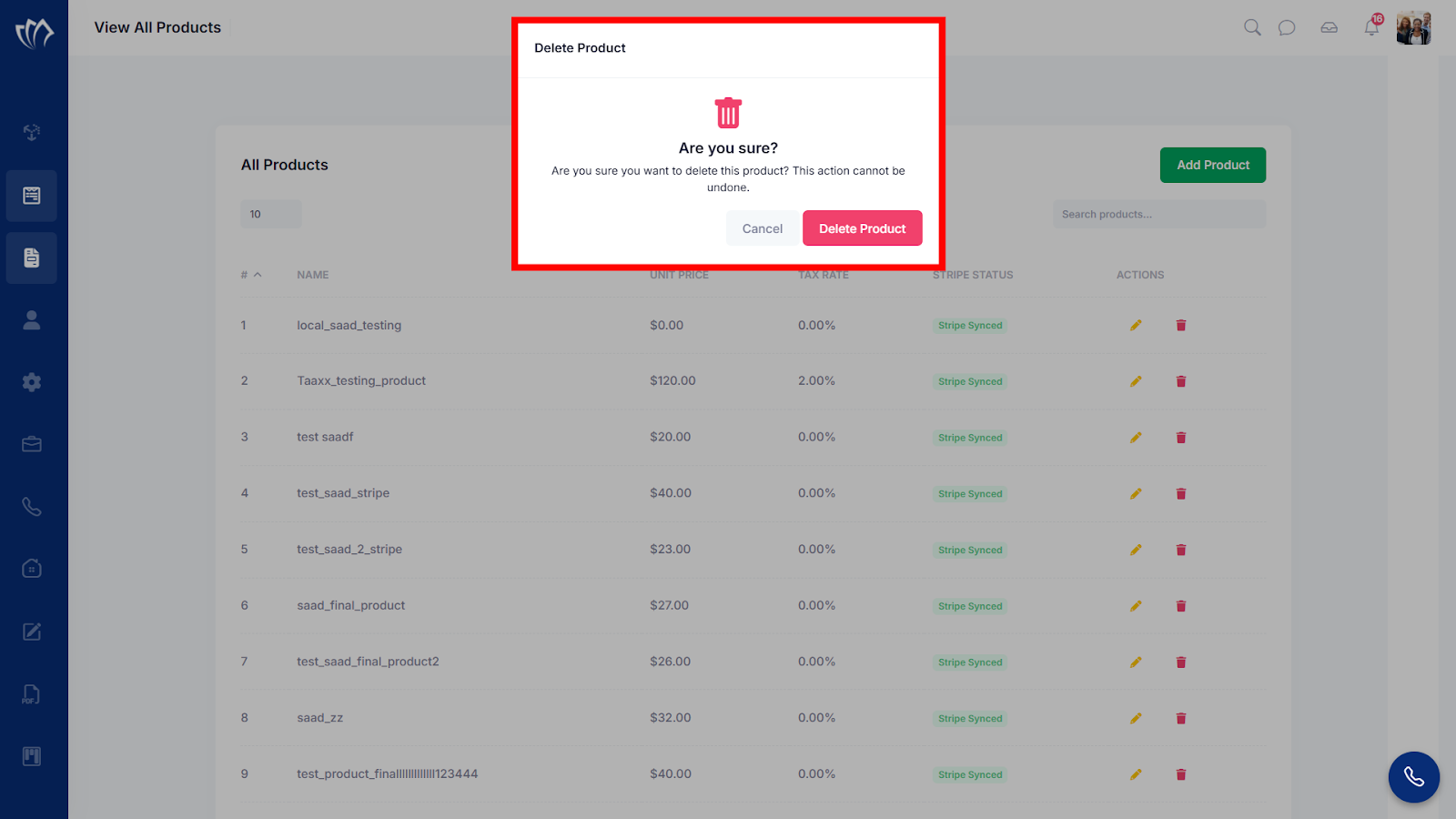
Step 2: The Delete Product modal will appear. Click on the “Delete Product” button to confirm the product deletion.
Step 3: After clicking on the “Delete Product” button, a success message will flash in the top-right corner of the screen.
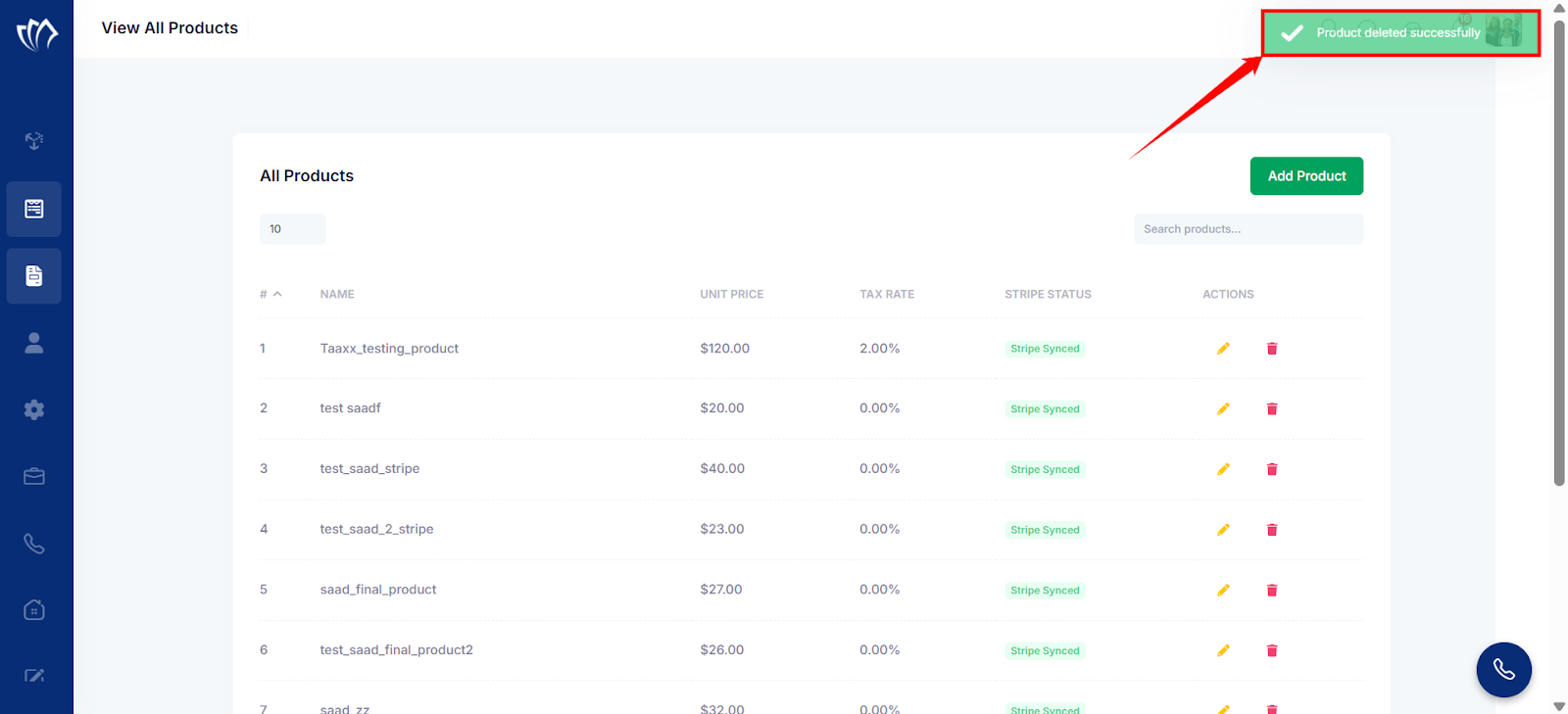
Now you have successfully deleted the product from the TAAX Pro system.
