
In our system, you can view all paid invoices in one place. Each paid invoice can be easily managed from a single screen. You can cancel the invoice, view its history, add notes, and check payment details, helping you to stay organized and in control of your billing process.
Follow the step-by-step guide below to view all paid invoices on the TAAX Pro platform.
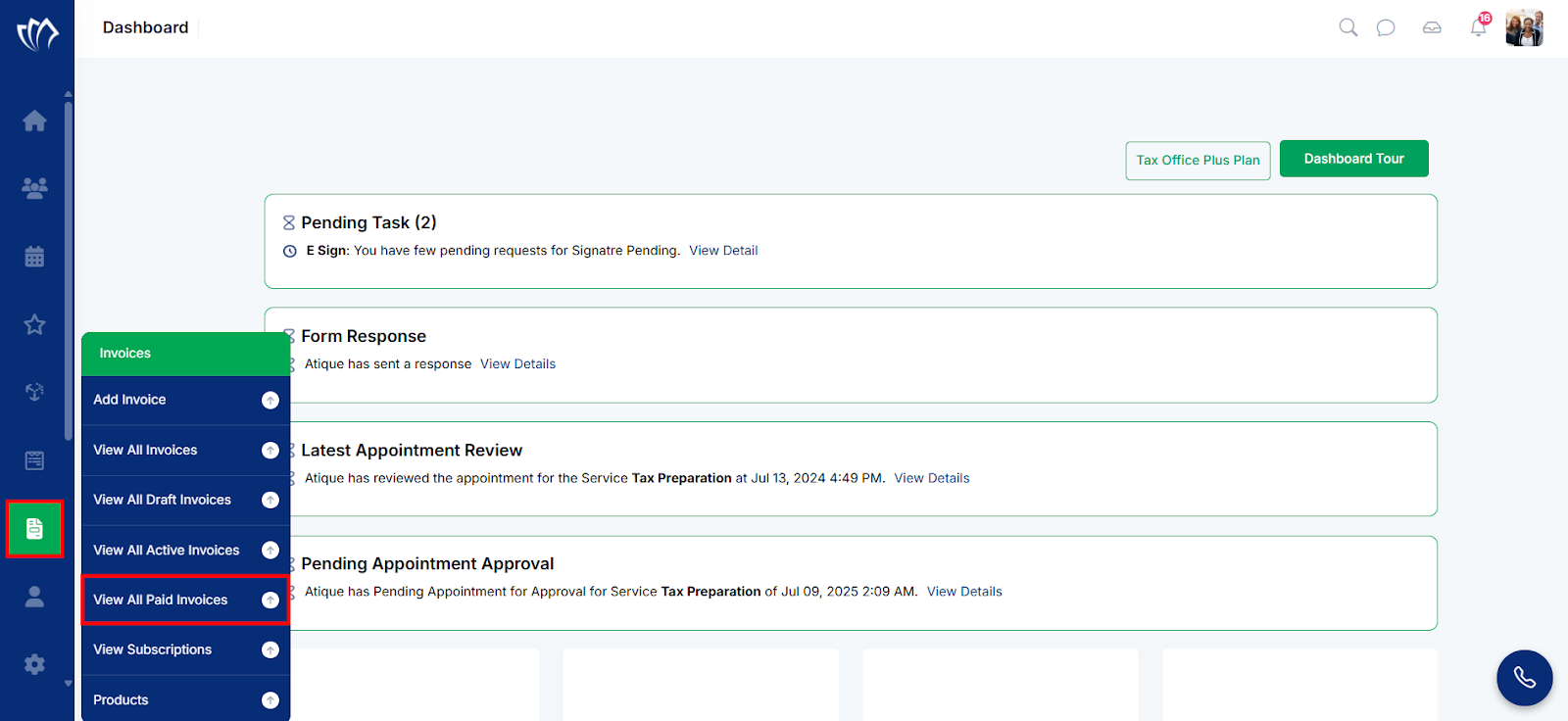
Step 1: Navigate to the left side panel, hover over the “Invoices” section, then click on the “View All Paid Invoices” option.
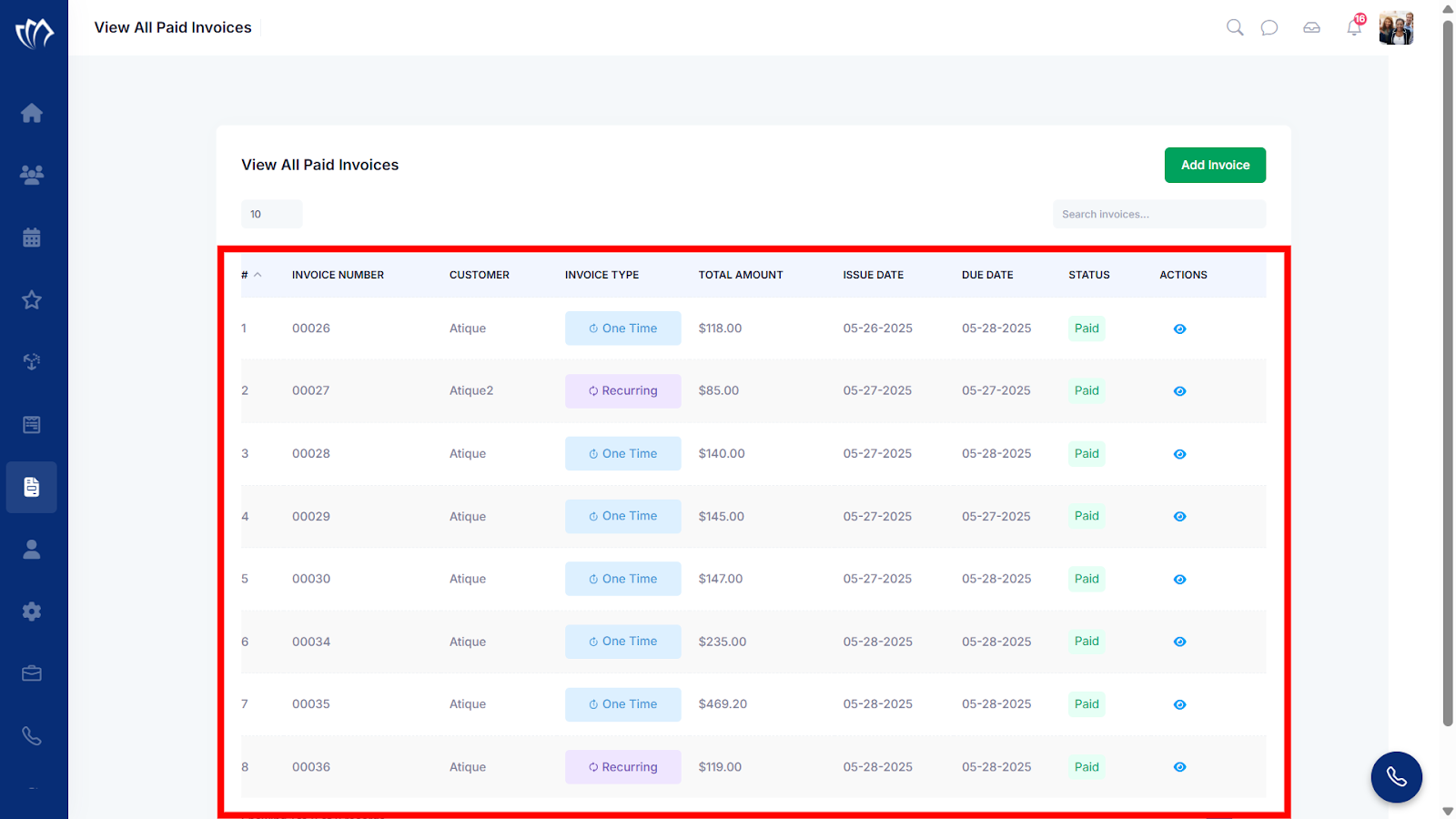
Step 2: A new screen will appear, showing a list of paid invoices where you can view all completed payments. These invoices will appear on the View All Paid Invoices screen with the status set to “Paid.”
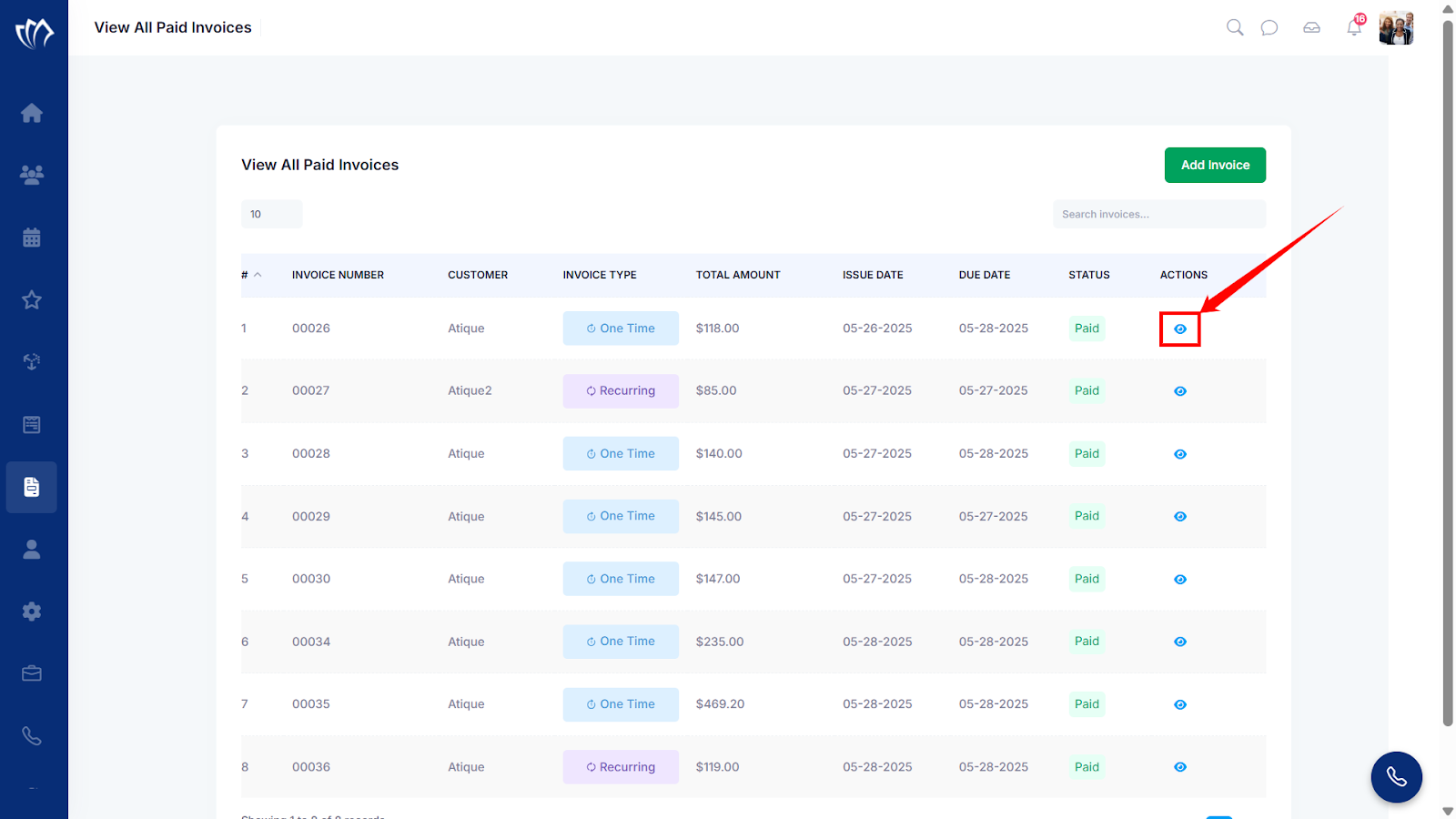
Step 3: Click on the eye icon next to any of the paid invoices.
Step 4: A new screen will appear displaying the paid invoice details.
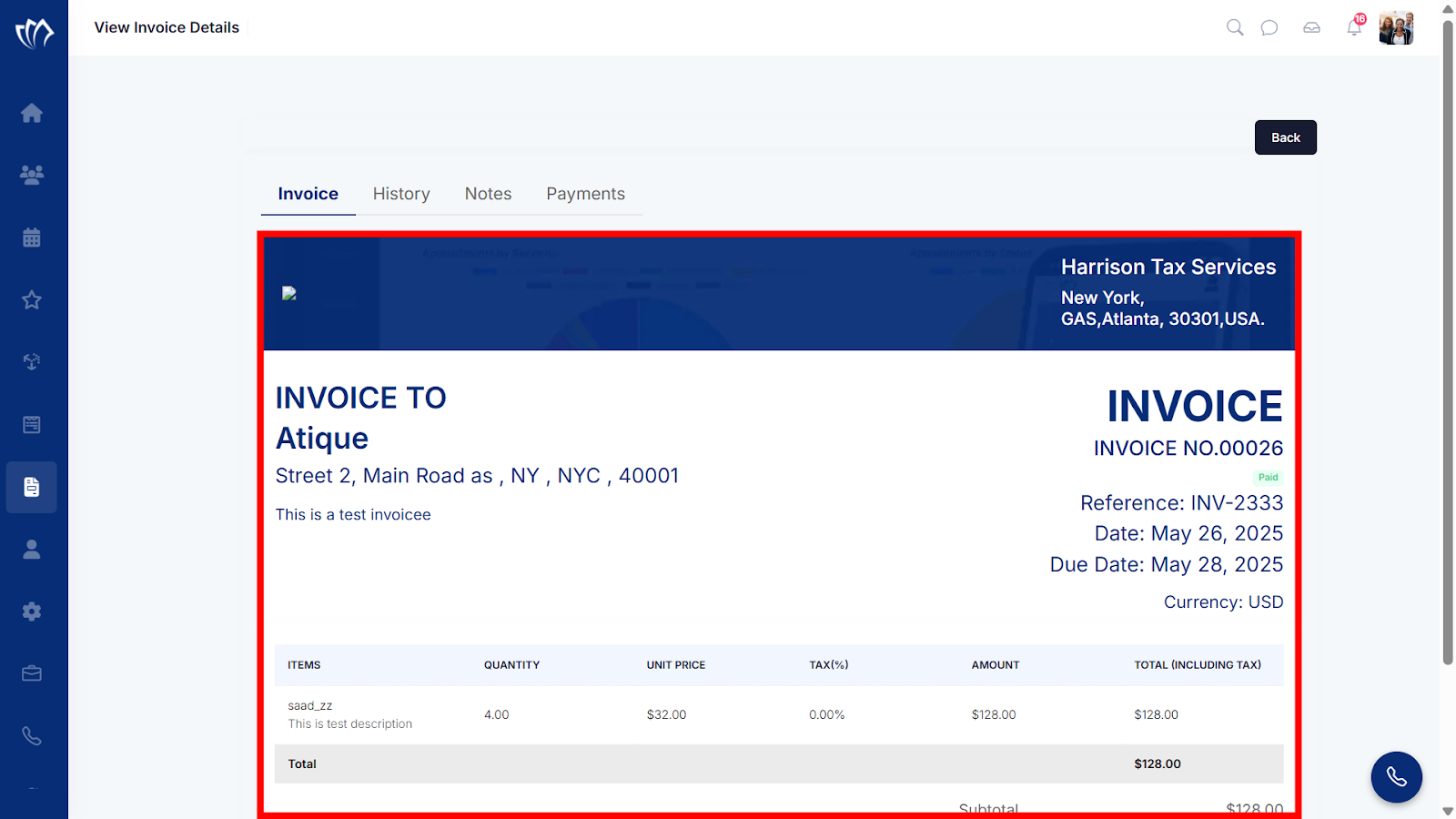
To learn more about the other tabs in the View Invoice Details screen, such as History, Notes, and Payments, follow this guide for a detailed walkthrough.
