
You can view all active invoices in one place. Each active invoice can be easily managed from a single screen. You can cancel the invoice, view its history, add notes, and check payment details, helping you stay organized and in control of your billing process.
Follow the step-by-step guide below to view all active invoices on the TAAX Pro platform.
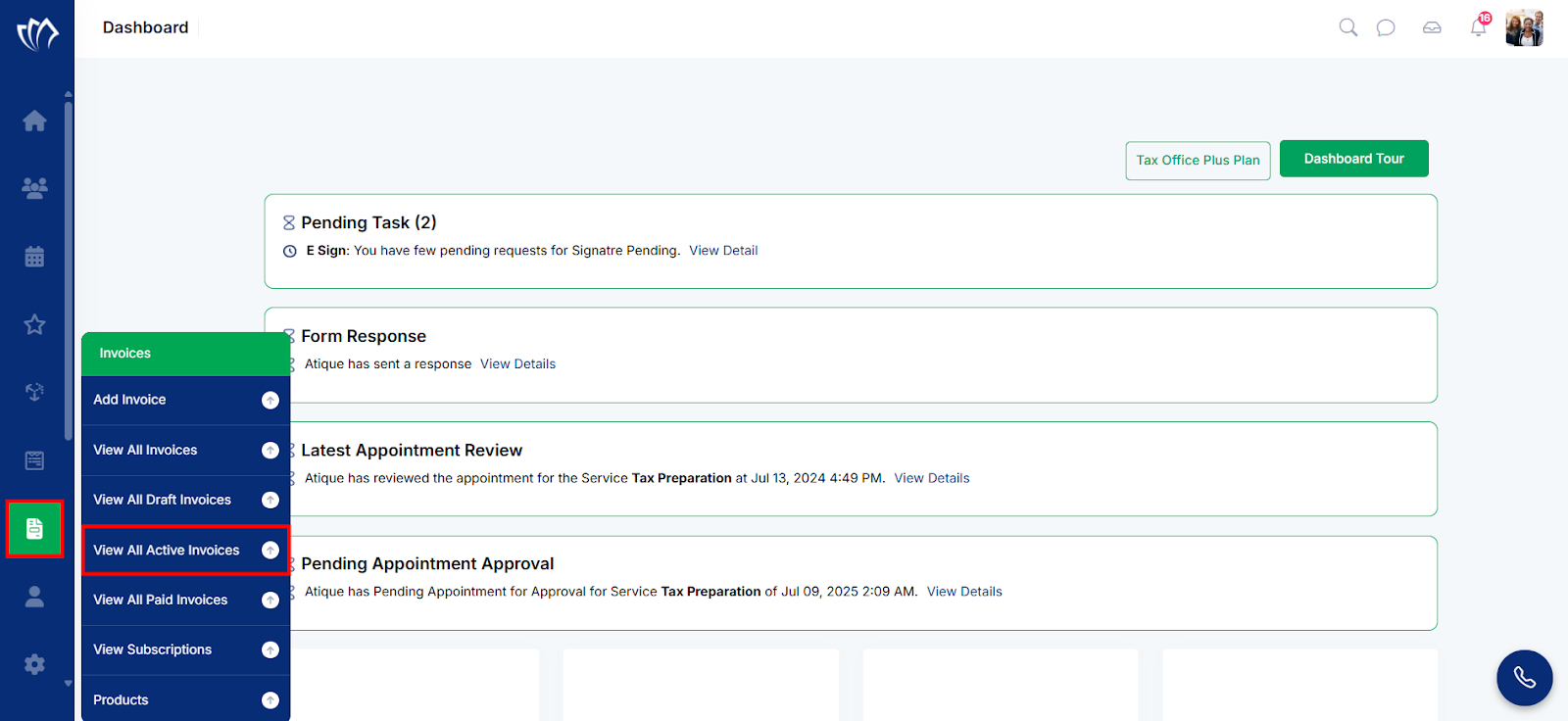
Step 1: Navigate to the left side panel, hover over the “Invoices” section, then click on the “View All Active Invoices” option.
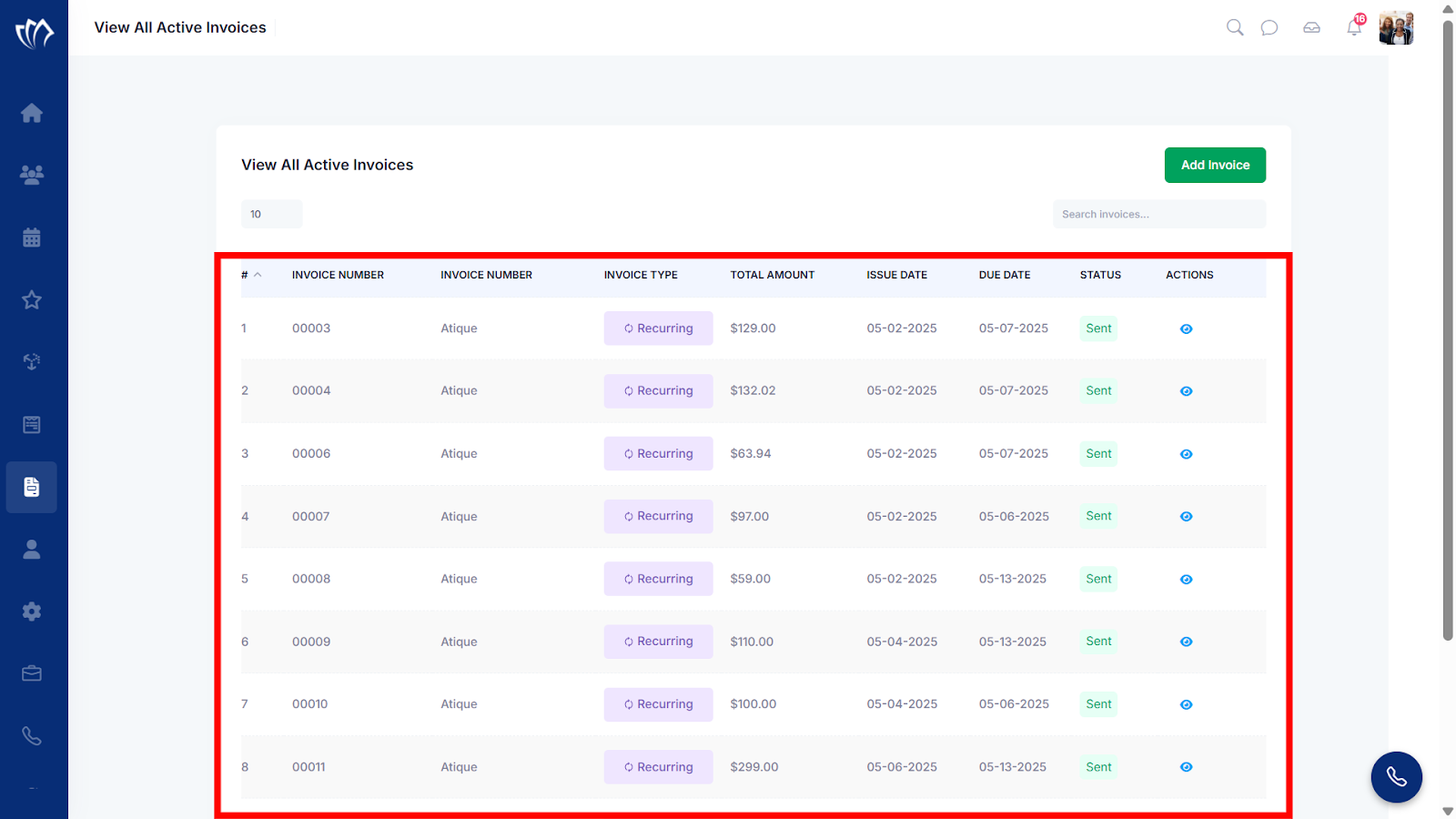
Step 2: A new screen will appear with a list of all Active Invoices.
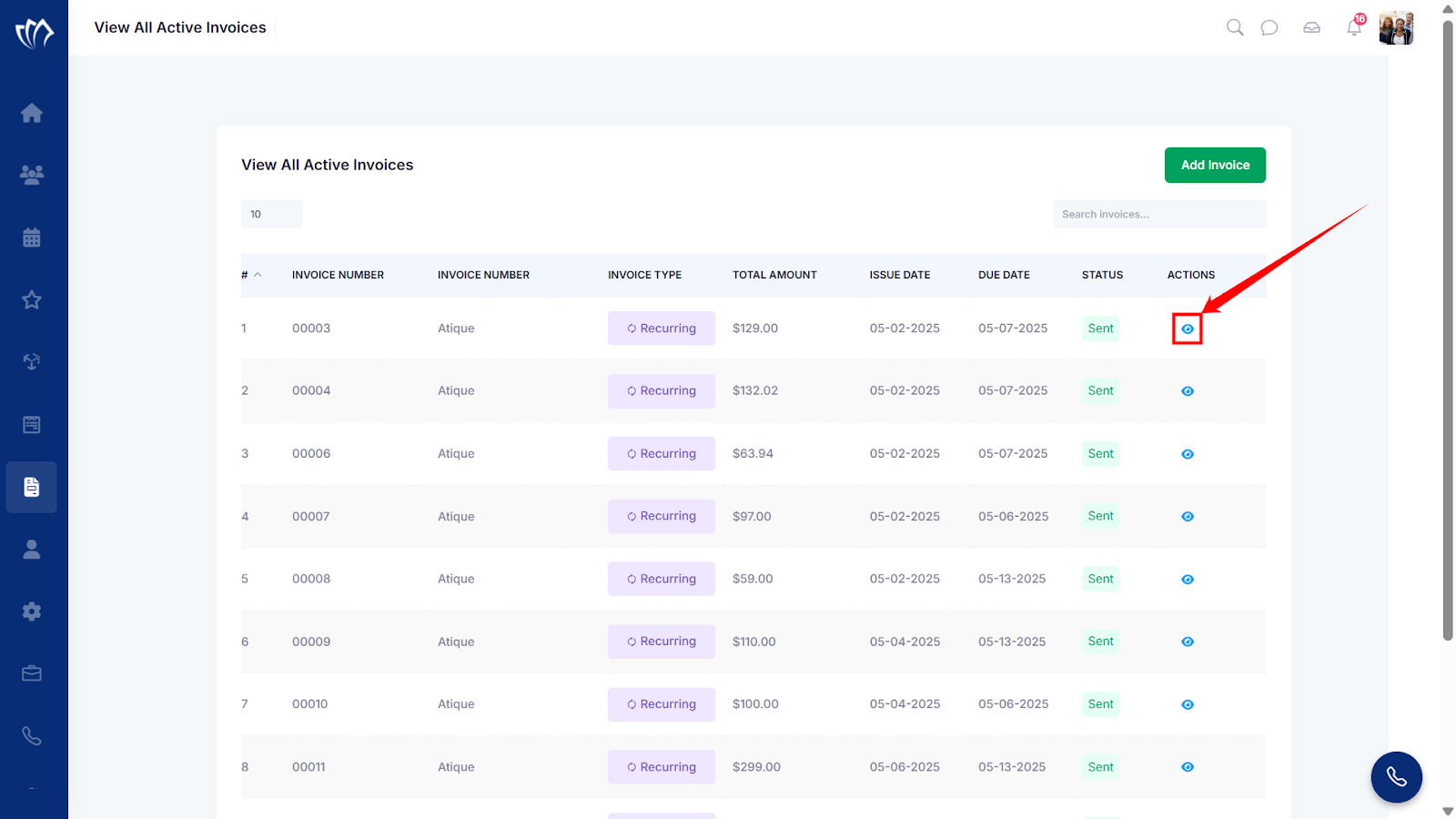
Step 3: Click on the eye icon next to any of the active invoices.
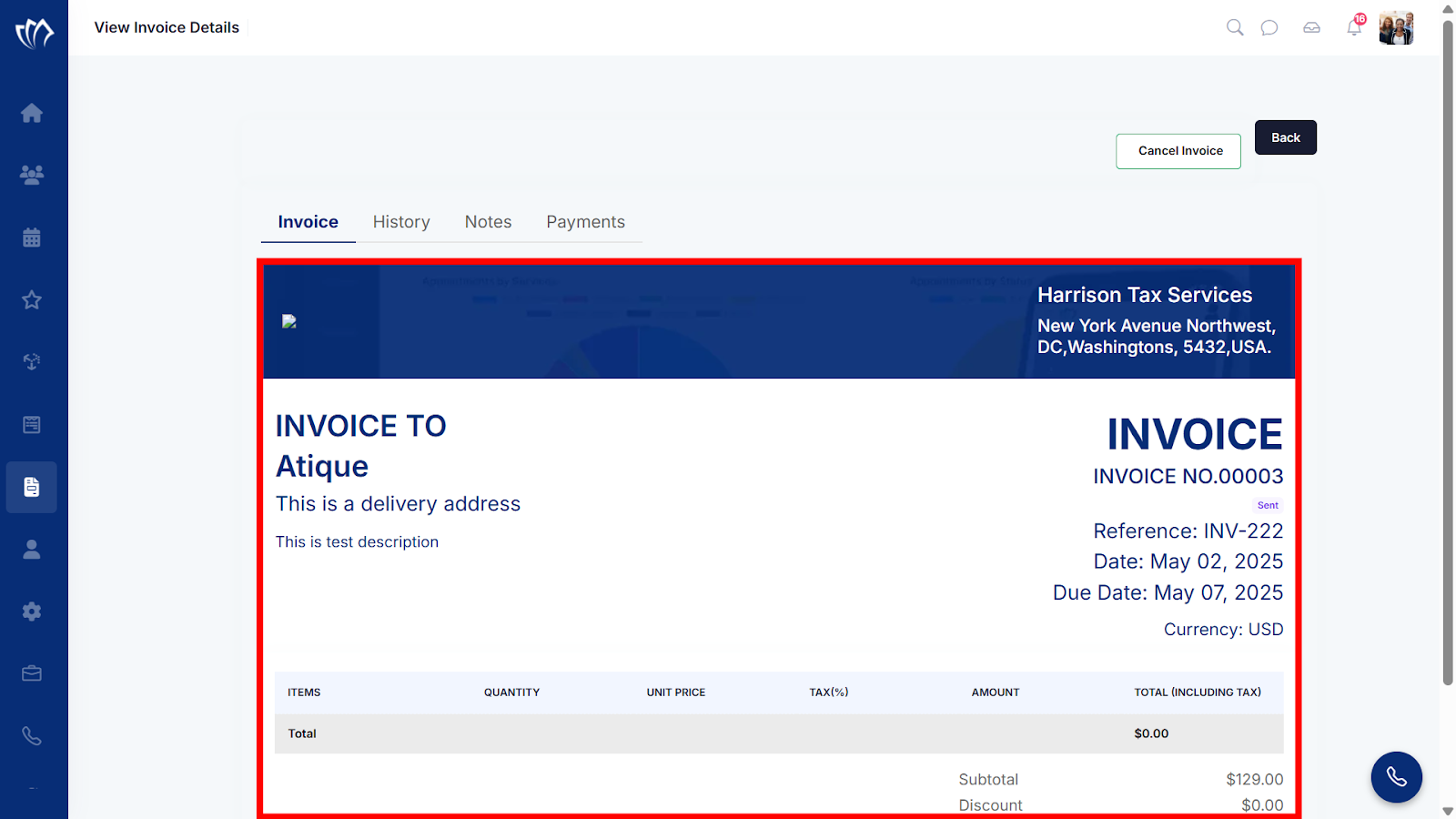
Step 4: A new screen will appear, showing the Invoice tab with complete details of the generated invoice.
| Action | Description | Reference |
| History | Shows a chronological log of all actions and updates made to the invoice, such as creation, edits, status changes, and user activity. | Read More |
| Notes | Contains any internal or external notes added by you and customers for context, clarification, or communication regarding the invoice. | Read More |
| Payments | Lists all payments made toward the invoice, including payment dates, amounts, methods, and outstanding balance, if any. | Read More |
